
Thermostat Not Working? 8 Common Causes and How to Fix Them
CALL NOW (970) 818-1613We pick up the phone, 24/7
CALL NOW (970) 818-1613If your thermostat is not working, start with three things: replace the batteries, check your circuit breaker for a tripped HVAC switch, and make sure the thermostat is set to the correct mode (HEAT or COOL) with the temperature set at least 3 degrees beyond the current room reading. These three steps fix more than half of all thermostat problems. If the screen is still blank or your system still will not respond, keep reading for the full troubleshooting walkthrough.
Your thermostat controls everything. When it stops working, your furnace will not fire, your AC will not cool, and your home becomes uncomfortable fast. The frustrating part is that thermostat problems can look identical whether the issue is a dead battery or a failed HVAC component.
The good news: most thermostat issues have straightforward fixes you can handle in minutes. This guide covers the 8 most common reasons your thermostat is not working, step-by-step solutions for each one, and clear guidance on when it is time to call a professional HVAC technician.
How Your Thermostat Works (Quick Overview)
Your thermostat is the control center for your entire HVAC system. It reads the room temperature, compares it to the temperature you set, and sends a low-voltage electrical signal (usually 24 volts) to your furnace, air conditioner, or heat pump telling it to turn on or off.
That 24-volt power comes from a transformer inside your furnace or air handler. When the thermostat calls for heating or cooling, it completes a circuit that activates the right equipment. If anything in that chain breaks, the thermostat appears to stop working, even if the thermostat itself is fine.
Understanding this helps with troubleshooting because a “thermostat not working” can actually mean a problem with the thermostat, the wiring, the transformer, or the HVAC equipment on the other end.
1. Dead or Low Batteries
Symptoms: Blank thermostat screen, no display, completely unresponsive
This is the single most common reason a thermostat stops working. Most programmable and smart thermostats use AA or AAA batteries, either as their primary power source or as a backup. Batteries typically last 8 to 12 months, and most thermostats display a low-battery warning before they die completely.
How to fix it:
- Pull the thermostat body off the wall plate (it usually slides up or has a release tab).
- Locate the battery compartment on the back.
- Replace with fresh alkaline batteries (not rechargeable).
- Reattach to the wall plate. The screen should power on within seconds.
Pro tip: If your thermostat keeps draining batteries faster than normal, there may be a wiring issue pulling excess current. That is worth a service call.
2. Tripped Circuit Breaker or Blown Fuse

Symptoms: Blank screen on hardwired thermostats, or thermostat has power but system does not respond
Your thermostat connects to the same electrical circuit as your HVAC system. If the breaker trips, the thermostat and the entire system lose power.
How to fix it:
- Go to your electrical panel and look for breakers labeled “HVAC,” “Furnace,” or “Air Handler.”
- If a breaker is in the middle position (tripped), flip it fully OFF, then back ON.
- Check your HVAC equipment for a blown fuse on the control board (usually a 3-amp or 5-amp fuse).
Important: If the breaker trips again immediately after you reset it, do not keep resetting it. A repeatedly tripping breaker signals an electrical issue that needs professional diagnosis. Call a licensed HVAC technician.
3. Incorrect Thermostat Settings
Symptoms: Thermostat has power and display works, but the HVAC system does not respond
This is more common than you might think. Before assuming something is broken, check these settings:
- Mode: Is it set to HEAT, COOL, or OFF? Make sure it matches the season.
- Temperature: The set temperature must be at least 3 degrees above (heating) or below (cooling) the current room temperature before the system kicks in.
- Fan setting: Set it to AUTO, not ON. The ON setting runs the fan continuously without heating or cooling.
- Schedule/vacation mode: Many programmable thermostats have schedules or vacation hold modes that override manual settings. Check that none are active.
- Compressor delay: Most thermostats have a built-in 3 to 5 minute delay to protect the compressor from short-cycling. If you just changed settings, wait 5 minutes before troubleshooting further.
4. Thermostat Not Reaching Set Temperature
Symptoms: System runs but the home never reaches the temperature you set, or the thermostat reading seems inaccurate
If your thermostat shows 72°F but the room feels much warmer or colder, the issue is usually one of these:
Poor thermostat placement: If your thermostat is mounted near a heat source (oven, sunny window, electronics), near an exterior door, or in a drafty hallway, it reads that spot’s temperature instead of your home’s actual average. The only real fix is relocating the thermostat to an interior wall in a central location.
Dirty sensor: Dust and debris inside the thermostat housing can interfere with the temperature sensor. Remove the cover and gently clean with compressed air or a soft brush.
Dirty air filter: A clogged filter restricts airflow, making your system work harder without effectively heating or cooling. Check and replace your filter every 1 to 3 months. Here in Northern Colorado, our dry climate means filters can clog faster during high-use seasons.
Undersized system: If your HVAC system is too small for your home’s square footage, it will run constantly without reaching the set temperature. This is especially common in Fort Collins and the surrounding areas where older homes may have had additions built without upgrading the HVAC capacity.
5. Thermostat Will Not Switch Between Heating and Cooling
Symptoms: Thermostat works fine in one mode but not the other, or will not switch from heat to cool (or vice versa)
This is a common thermostat problem in Northern Colorado’s spring and fall shoulder seasons when temperatures can swing 40 degrees in a single day. You need heat in the morning and AC by afternoon.
Possible causes:
- Wiring issue: The heating wire (W) and cooling wire (Y) connect to different terminals. A loose connection on either wire prevents that mode from working. Turn off power at the breaker, remove the thermostat from the wall plate, and check that all wires are firmly seated in the correct terminals.
- Heat pump settings: If you have a heat pump system, your thermostat needs to be configured for a heat pump (not a conventional furnace/AC setup). Incorrect configuration causes mode switching failures.
- Faulty reversing valve (heat pumps): The reversing valve physically switches your heat pump between heating and cooling modes. If this component fails, the system gets stuck in one mode. This requires professional repair.
6. Blank Thermostat Screen After a Power Outage
Symptoms: Thermostat screen went blank during or after a power outage and has not come back
Power outages are not uncommon in the Fort Collins, Loveland, and Windsor areas, especially during severe weather. After power is restored, most thermostats reboot automatically. If yours does not:
- Check the batteries: Even hardwired thermostats use batteries to maintain settings during outages. If the batteries were already weak, the outage may have drained them completely.
- Check the breaker: Power surges during restoration can trip your HVAC breaker. Reset it.
- Check the furnace door/safety switch: Your furnace has a safety switch on the access panel. If the panel was bumped or is not fully closed, the entire system (including the thermostat) loses power.
- Check the 24V transformer fuse: Inside your furnace or air handler, there is a small fuse (typically 3A or 5A) on the control board. A power surge can blow this fuse, cutting power to the thermostat. Replacing it is a $2 fix, but if you are not comfortable working around electrical components, call a technician.
7. WiFi Thermostat Connectivity Issues
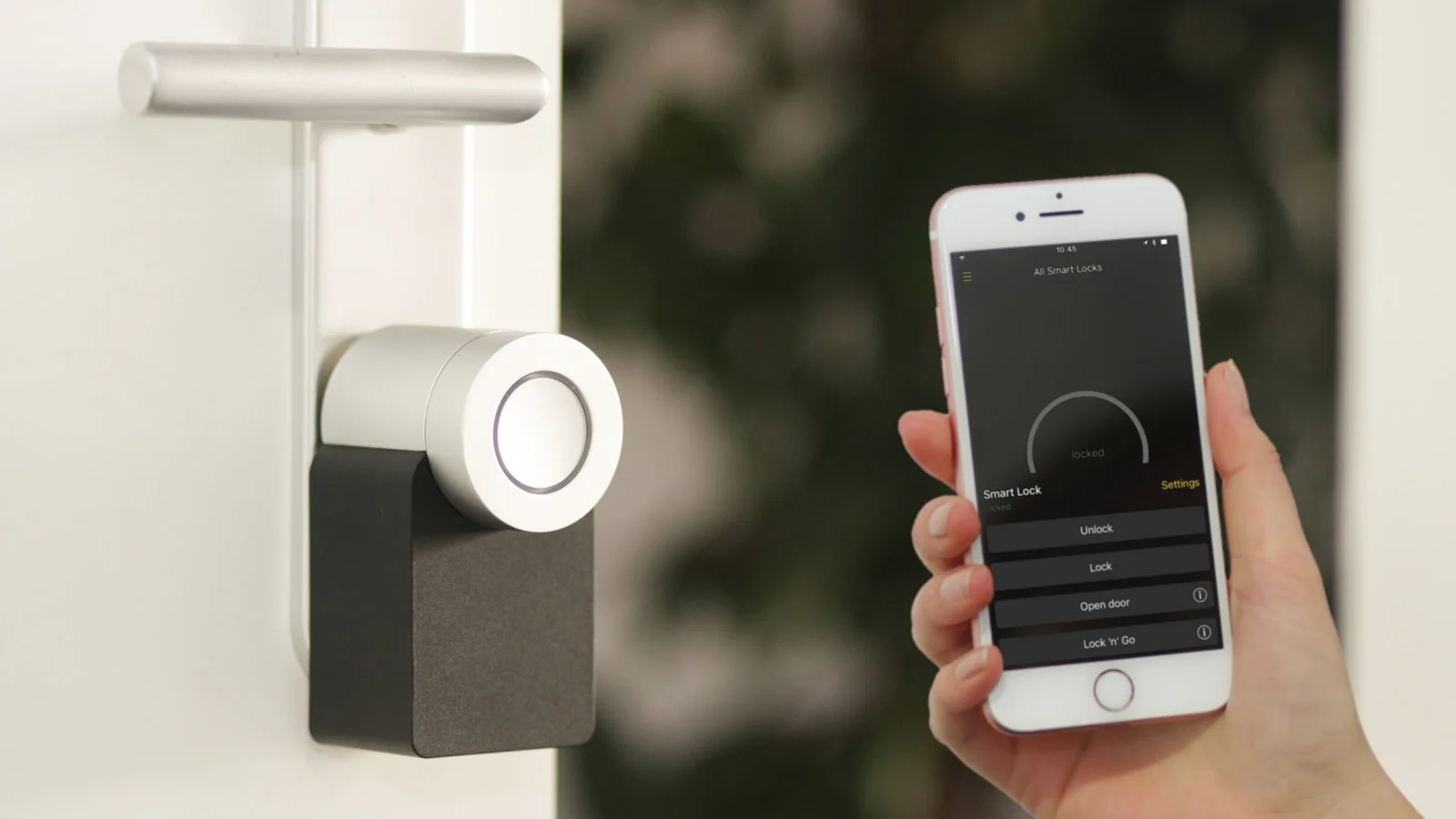
Symptoms: Smart thermostat loses WiFi connection, cannot be controlled remotely, shows offline in the app, or firmware updates fail
Smart thermostats like Nest, Ecobee, and Honeywell Home are increasingly common in Northern Colorado homes. While they offer excellent energy savings and remote control, WiFi connectivity problems are a frequent headache.
Troubleshooting steps:
- Restart your WiFi router: Power cycle the router, wait 60 seconds, then let the thermostat reconnect.
- Check WiFi signal strength: If your thermostat is far from the router or behind thick walls, the signal may be too weak. A WiFi extender can help.
- Reconnect to the network: Go into the thermostat’s WiFi settings and reconnect manually. You may need to re-enter the password.
- Update firmware: Outdated firmware can cause connectivity issues. Check for updates in the thermostat’s settings menu or the manufacturer’s app.
- Router compatibility: Some mesh WiFi systems and routers with band steering (combining 2.4 GHz and 5 GHz) confuse smart thermostats. Try connecting the thermostat specifically to the 2.4 GHz band.
Note: WiFi issues affect remote access only. Your thermostat should still control heating and cooling locally even without a WiFi connection. If the system is not responding AND WiFi is down, the problem is likely something else on this list.
If you are considering a smart thermostat upgrade, professional installation ensures proper wiring and configuration from the start.
8. When to Replace vs. Repair Your Thermostat
Not every thermostat problem is fixable. Here are the signs it is time for a replacement:
- Age: Thermostats older than 10 years are more prone to sensor drift, calibration errors, and component failure.
- Physical damage: Cracked screens, unresponsive buttons, or water damage.
- Repeated issues: If you have gone through the troubleshooting steps above multiple times and the problems keep coming back, the thermostat itself may be failing.
- Incompatibility: Older thermostats may not be compatible with newer HVAC equipment. If you recently upgraded your furnace or AC system, your existing thermostat may not support the new system’s features.
- No C-wire: Many smart thermostats require a common wire (C-wire) for power. If your home’s HVAC wiring does not include one, you may need an adapter kit or new wiring run during installation.
A basic programmable thermostat costs $30 to $100. A quality smart thermostat runs $150 to $300. Professional installation typically adds $75 to $150, which is worth it to ensure correct wiring and avoid compatibility issues.
When to Call an HVAC Professional
Handle the simple fixes yourself: battery replacement, breaker resets, settings checks, and air filter changes. Call a professional when:
- The thermostat screen stays blank after replacing batteries and checking breakers
- Your system short-cycles (turns on and off rapidly) despite correct thermostat settings
- You smell burning or notice unusual sounds from the HVAC equipment
- The breaker trips repeatedly after being reset
- You suspect wiring problems but are not comfortable working with electrical components
- Your system runs continuously without reaching the set temperature
- You need thermostat replacement or installation, especially for smart thermostats or heat pump systems
At JT Plumbing Heating & Air, we handle thermostat diagnostics and HVAC repair across Fort Collins, Loveland, Windsor, Greeley, Longmont, and all of Northern Colorado. Our licensed technicians can pinpoint whether the issue is your thermostat, your wiring, or your HVAC equipment, and get your system running correctly.
Call us at (970) 818-1613 or contact us online for fast, reliable HVAC service.
Frequently Asked Questions
Why is my thermostat screen blank?
The most common cause of a blank thermostat screen is dead batteries. Replace them with fresh AA or AAA batteries. If the screen is still blank, check your HVAC circuit breaker for a tripped switch and inspect the furnace safety switch (access panel). Hardwired thermostats without batteries may have a blown 24V fuse on the HVAC control board.
Can a bad thermostat cause my furnace or AC not to work?
Yes. The thermostat sends the signal that tells your furnace or AC to turn on. A faulty thermostat can prevent the system from starting, cause short cycling (turning on and off too quickly), or make the system run continuously. If your HVAC system is not responding to thermostat changes, the thermostat is one of the first things to check.
How do I know if my thermostat is bad?
Signs of a bad thermostat include a blank or flickering screen, temperature readings that do not match the actual room temperature, the HVAC system not responding to setting changes, frequent short-cycling, and the system running nonstop. If basic troubleshooting (batteries, breaker, settings) does not fix the problem, the thermostat itself may be failing.
Will a low battery cause my thermostat to stop working?
Yes. Low or dead batteries are the number one cause of thermostat problems. Even if the screen still displays, low batteries can cause erratic behavior, delayed responses, or prevent the thermostat from sending signals to your HVAC system. Replace batteries at least once a year as preventive maintenance.
How long do thermostats last?
Most thermostats last 10 to 15 years. Smart thermostats may have shorter lifespans (7 to 10 years) due to more complex electronics and software dependencies. If your thermostat is over 10 years old and experiencing repeated issues, replacement is usually more cost-effective than continued troubleshooting.
Should I repair or replace my thermostat?
If the problem is batteries, settings, or a tripped breaker, repair (or rather, a simple fix) is the answer. If the thermostat has physical damage, repeated calibration issues, or is over 10 years old, replacement makes more sense. A new programmable thermostat costs $30 to $100; a smart thermostat costs $150 to $300 plus installation.
Serving Northern Colorado
 All Service Areas


Serving our Community
At JT Plumbing Heating & Air, we feel it’s important to support our Northern Colorado community and the causes that are close to our family. Every year we support local charities, nonprofits, and sponsor community activities that are important to us. Learn more about the causes we support and how you can help.
COMMUNITY INVOLVEMENT